
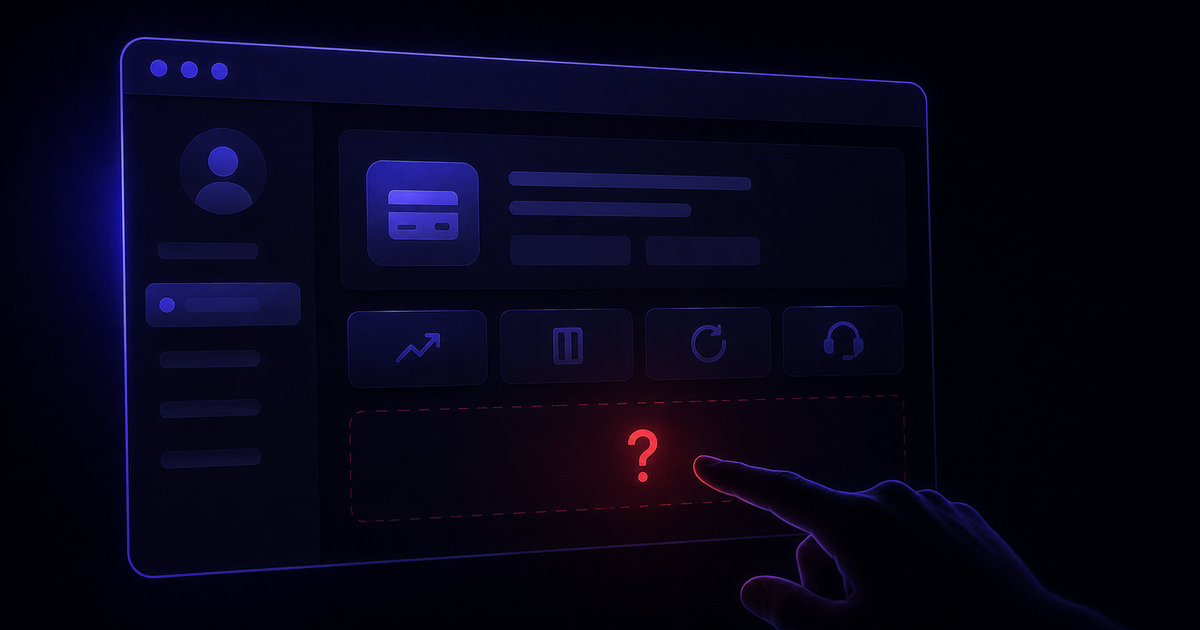
You want to cancel. You go to billing settings. There's no cancel button. There's a "manage plan" link that takes you to a pricing page. There's a chat widget that opens a bot. There's a phone number that puts you on hold. There's a help article that tells you to contact support.
This is not a bug. It's a retention strategy with a known conversion rate. Every additional step between you and cancellation is a deliberate design decision that converts a percentage of people who intended to cancel into people who gave up and stayed subscribed.
The good news is that every pattern has a counter. Here's how to get out, regardless of which tactic they're using.
First: Identify Which Pattern You're Dealing With
The tactics vary by tool and by plan tier. Identifying which one you're facing changes the approach you take. Most cancellation walls fall into one of five categories. The audit of 30 cancellation flows shows how often each one appears.
No cancel button: downgrade required
The billing section has no cancel option. To stop charges, you have to manually find and switch to a free or lower tier first. If you miss this step, billing continues.
Human-gated cancellation
Cancellation requires a phone call, a chat session with a human agent, or contact with a "Customer Success Manager." No self-serve path exists or is clearly visible.
Multi-screen friction flow
A cancel button exists but reaches you only after multiple retention screens offering discounts, pauses, and "are you sure" prompts. Each screen is a conversion event designed to make you give up.
Broken or inaccessible flow
The cancellation flow exists but throws errors, times out, or redirects you back to the account page without completing. Technical failure used as a retention mechanism.
Account lockout during billing
You lose access to your account at or near a renewal date, preventing cancellation while billing continues. The lockout resolves after payment is processed.
The Universal First Move
Before going pattern-specific, one step applies to every situation: find and save the cancellation page URL directly.
Most cancellation walls depend on you navigating through the product to find them. Going directly to the billing or account cancellation URL bypasses the navigation layers that hide the option. BillSensor maintains direct cancel URLs for all 90 tools it detects. The full list is on the supported tools page.
Once you're on the cancellation page, screenshot every screen as you go through the flow. If you reach a confirmation, save the email immediately. If anything goes wrong later, this documentation is what your bank, the FTC, or a billing specialist will ask for.
Attempt cancellation at least 5 days before your next billing date. Many tools block cancellation while a payment is processing. Attempting on the billing date itself can result in another charge before the cancellation completes.
Pattern-Specific Tactics
Each cancellation wall type has a most reliable counter. Start with the one that matches your situation before escalating.
Pattern 1: No cancel button
If there is no cancel option in the billing section, look for a plan or subscription management page rather than a billing page. The downgrade path is usually there. Switch to the free plan or the lowest available tier first, then confirm the subscription has converted. Do not assume the downgrade cancels future charges without verifying.
For Zapier specifically: go to zapier.com/app/billing, select your plan, and choose "Downgrade to Free." There is no standalone cancel option. Billing stops only after the downgrade is confirmed.
Pattern 2: Human-gated cancellation
When cancellation requires a human, go to chat before phone. Chat creates a written record. Open the chat, state clearly that you want to cancel, and ask to be connected to a billing specialist, not a retention agent. First-line agents and AI bots have limited authority. Billing specialists have a cancellation option in their system.
For Salesforce: the self-serve path does not exist for most plan types. Contact the Customer Service Billing Department directly and document the interaction in writing. Salesforce's auto-renewal window is 30 days before renewal. Missing it locks you into another full term, so start this process at least 35 days before your renewal date.
For Sprout Social: the official cancellation steps list both a phone number and a request to contact your Customer Success Manager. Go through the CSM route in writing rather than by phone. It creates a documented cancellation request that can be referenced if charges continue.
Pattern 3: Multi-screen friction flow
Go through every screen without accepting any offers. Do not pause. Do not accept a discount. Each offer screen typically has a small "continue to cancel" or "no thanks" link. It is intentionally de-emphasised relative to the retention offer button. Keep clicking until you reach a final confirmation screen, then save the confirmation email immediately.
For Adobe: the flow includes at least three retention screens. The confirmation email is the only reliable proof of cancellation. If you don't receive one within 30 minutes, check your Adobe account under Plan details. It should show "Cancelled" status. If it doesn't, the cancellation did not complete. If you've already been charged after cancelling, here's the chat script and escalation path that gets Adobe's fee waived.
If you're in California, a July 2025 state law requires companies to show the cancel option simultaneously with any retention offer. If the cancel button only appears after you decline a discount, that may be a legal violation you can report to the California AG's office.
Pattern 4: Broken cancellation flow
Try a different browser first. Some flow errors are browser-specific. If the error persists across browsers, take a screenshot of the error message with the timestamp visible.
Contact support immediately with the screenshot and state explicitly: "The cancellation flow is returning an error and I cannot complete cancellation. I am documenting this as a technical barrier to cancellation and request that cancellation be processed manually as of today's date." The date matters. It establishes when you first attempted to cancel if charges appear later.
For Loom: cancellation now routes through Atlassian's account system rather than a standalone Loom flow. If the in-app path fails, contact Atlassian support directly rather than Loom support.
Pattern 5: Account lockout
Do not attempt to cancel during a billing period when your account is locked. Wait until access is restored, then cancel immediately. Do not pay the outstanding balance first if you intend to dispute the charge. Paying confirms the charge as valid.
For Mailchimp: if you're locked out and billed simultaneously, contact the Mailchimp billing team directly at billing@mailchimp.com with your account email and the date you first attempted to cancel. Request manual cancellation and a refund for charges during the lockout period. If this fails, a credit card dispute is the most commonly reported successful path. The full walkthrough, including the four reasons Mailchimp keeps billing, is in why Mailchimp is still charging you after you cancel.
When Nothing Works: The Full Escalation Path
If the pattern-specific approach fails, escalate in this order. Each step has a different mechanism and different leverage.
Step 1: Billing specialist escalation
If first-line support or chat says no, ask explicitly to be escalated to a billing specialist before ending the session. Billing specialists have goodwill exception options that front-line agents don't. This alone resolves the issue in a significant percentage of cases.
Step 2: Phone support, billing escalations team
Call during US business hours and ask specifically for the "billing escalations team" by name. Phone agents tend to have more authority than chat agents, and a live conversation is harder to dismiss than a chat transcript.
Step 3: FTC complaint
File at reportfraud.ftc.gov. Reference the specific tactic being used: no cancel button, phone-only cancellation, or charges continuing after cancellation. The FTC is actively pursuing individual cases under ROSCA after the Click-to-Cancel rule was vacated in July 2025. Adobe and Shutterstock both settled under this authority in 2026.
Step 4: Credit card dispute
Contact your card issuer and dispute the charge as unauthorized or undisclosed. Back up any cloud storage or data the tool holds before filing. Some companies close accounts in response to chargebacks. In the UK, Section 75 of the Consumer Credit Act gives stronger protection for charges over £100.
Step 5: Better Business Bureau complaint
A BBB complaint has been reported to generate a callback from executive resolution teams within 48 hours for multiple companies including Adobe. For larger amounts, small claims court is an option and has produced documented settlements.
Bringing up a bank dispute too early in a support conversation can end the negotiation and trigger account closure before you've retrieved your data. Exhaust the support escalation path first.
Your Legal Rights Right Now
The regulatory landscape has changed significantly in the past year. These are the rights currently in force, by jurisdiction.
| Jurisdiction | Right | Status |
|---|---|---|
| California | Companies must show cancel option simultaneously with any retention offer. One retention offer maximum. | Live July 2025 |
| Germany | Visible cancel button required alongside any sign-up flow (§312k BGB two-button rule). | In force |
| UK | DMCC Act subscription regime, fines up to 10% of global turnover for non-compliance. | January 2027 |
| US Federal | FTC Click-to-Cancel rule vacated July 2025. Enforcement continues under ROSCA on individual cases. | Case by case |
The tools most likely to violate these rights are the ones with the highest dark pattern scores. See how each tool scores on billing abuse to know which ones have the most documented history of making cancellation difficult.
The Real Fix Is Knowing Before You're Trapped
Every tactic in this post is reactive. You're already in the cancellation wall, already possibly charged, already in a support session. The pattern that generates up to 200% additional revenue for subscription companies depends on you discovering a charge after it happens rather than before.
The proactive version is knowing your next renewal date before it arrives, knowing which tools are most likely to fight your cancellation, and having a direct cancel link ready before you need it under time pressure.
Know before you're charged. Not after.
BillSensor detects billing emails across Gmail and Outlook, alerts you 7 days before every renewal, shows dark pattern scores for 68 tools, and gives you a direct cancel link for each one.
Add BillSensor to Chrome, free →Free account required. No Gmail connection needed. Outlook and Microsoft 365 supported.